Clamped, Cradled or Crooked: Getting Your Phone Mount Out of the Windscreen’s Way
Photo: ASTERISK Kwon, CC BY-SA 3.0, via Wikimedia Commons
The mount is not the problem — the placement is
Phone mounts have become part of the furniture in modern cars. Most of us have one stuck to the glass, clipped to a vent or perched on the dash, holding a phone that does sat-nav, music, calls and probably the occasional parking app. Done well, a mount is a genuinely useful bit of kit. Done badly, it is a plastic arm holding a distraction right where you need to see the road.
The tricky part is that 'done badly' rarely feels badly at first. A mount can feel rock-solid in the driveway, look neat from the driver's seat and still be sitting in the wiper sweep, blocking your view of the nearside kerb or wobbling just enough to pull your eyes away at the wrong moment. This is not about being anti-phone. It is about giving the thing a proper home.
What UK rules actually care about
The law is not especially interested in whether your mount is suction, magnetic, clamped or clipped. It cares about control and visibility. Highway Code rule 148 is the one to remember: safe driving needs proper control, and you should not be distracted by phones or other gadgets. You can use a phone as a sat-nav, but you must not hold it while driving. A securely mounted phone that you programme before setting off is a very different thing from a phone in your hand at a junction.
There is also the broader construction-and-use expectation that your windscreen and windows give you a clear view. In practice, that means anything stuck to the glass — mount, phone, cable, dangling air freshener — should not obscure your line of sight. A traffic officer does not need a special phone-mount law to take an interest if your view is clearly compromised. Careless driving is the phrase nobody wants to hear.
The quick placement audit
Sit in the driver's seat as you normally would. Right-hand drive, UK roads, normal seat height. Now look at the windscreen and ask three questions.
1. Is it in the wiper sweep?
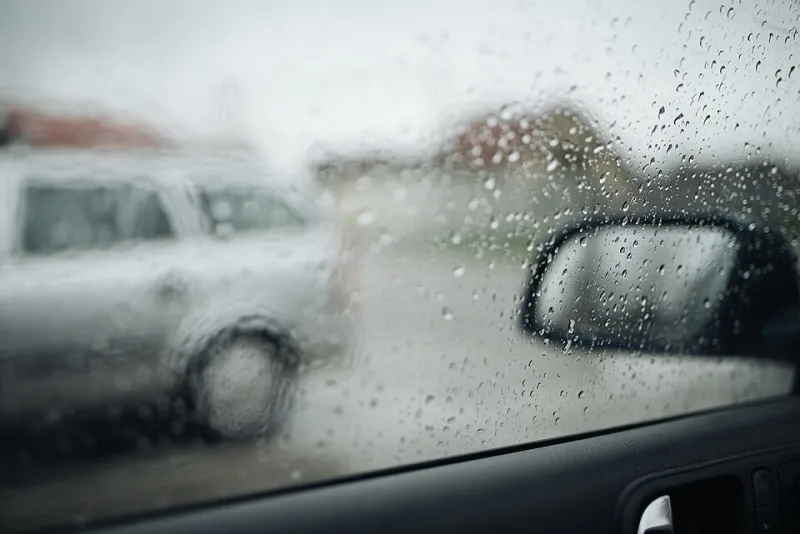
The swept zone is the area the wipers clear. If your phone or mount sits inside that arc, you are asking for a smeared, obscured patch of glass in the rain. It also looks like an obstruction to anyone having a bad day. Keep the mount out of the sweep, full stop.
2. Is it in your eyeline?
Your view of the nearside kerb, the road ahead, the mirrors and the instrument cluster should be uninterrupted. A phone floating in the middle of the windscreen is not a sat-nav; it is a blind spot with a charging cable. Low and tucked to one side is usually better than high and central. Avoid the passenger airbag zone, the steering wheel airbag zone and the plastic housing behind the rear-view mirror where manufacturers cram cameras and sensors. Modern cars have enough going on up there without your phone joining in.
3. Does it move when you tug it?
Give the mount a gentle but firm pull — not enough to rip it off, just enough to see whether it shifts. Then check the phone in the cradle. If the whole thing nods, twists or creeps down the glass, it is not secure. A mount that feels fine on a cold morning can behave very differently after an hour of sunshine or a pothole-heavy B-road.
Feels secure versus is secure
Suction mounts live or die by the glass. Clean the area first with a lint-free cloth, then press the cup on properly and give it time to bite. Avoid the dotted frit pattern at the edge of the screen, which gives suction cups very little to work with. Cold weather makes the rubber less willing; heat makes it soft. A suction mount that has been reused for years is a small gamble every time you drive.
Magnetic mounts are neat, but the phone's weight matters. A big handset in a thick case hanging off a small magnet is not the same as a slim phone with a metal plate stuck directly to the back. Vent clips are handy and keep the glass clear, but they can block the very vent you need for demisting, and some vent vanes are not built to carry weight. Clamp-style mounts need checking for grip and for any buttons they press when the phone is dropped in. Adhesive dash pads are fine until summer arrives and the pad leaves a ring on the dashboard.
And then there is the cable. A charging lead looping across the steering column or dangling near the gearstick is its own small hazard. Route it down and away from the controls. If the cable is pulling the phone to one side, the mount is not doing its job.
The habits that stop a good setup going wrong
Set the route before you move. Choose the playlist before you move. Start the call before you move. If you need to touch the screen mid-journey, find somewhere safe to stop — not a hard shoulder, not a bus stop, not the middle lane of the M6. Voice controls are imperfect, but they are better than a 40mph jab at a map.
Keep the glass clean around the mount. A suction cup stuck to a dusty patch will eventually let go. If you use a heated windscreen, avoid covering the elements with a big adhesive pad. And if you leave the car parked in strong sun, think about whether the phone is cooking in the window. Removing it is kinder to the battery and stops the mount from becoming a sticky souvenir.
MOT, insurance and the small print
A phone mount is not a standard MOT test item. But an obstruction in the driver's view is still an obstruction, and a tester needs to see the screen properly. If your mount sits in the swept area or blocks the view, take it off before the test. That is not about hiding anything; it is about presenting a car that is fit to be looked at.
Insurance is similar in spirit. A suction mount is not usually a modification you need to declare, but if you start drilling holes, hardwiring a charging cradle into the fusebox or bolting a tablet to the dashboard, check with your insurer first. More importantly, if you have a crash and your phone was floating in your eyeline, you have handed the other side a very easy question: what exactly could you see?
The verdict
The best phone mount is the one you forget is there until you need it. It holds the phone steady, keeps the glass clear, does not block the wiper sweep and does not ask you to look down or sideways every time the route changes. If yours fails the tug test, sits in the middle of the screen or wobbles like a loose tooth, spend ten minutes sorting it out. It is cheaper than a ticket, a claim or a cracked windscreen — and considerably less annoying than explaining to your insurer why the sat-nav was the most interesting thing in your field of view.